The rider app for Cartlex

Deliver on your own terms.

Cartlex Rider is for riders in Umuahia and Umudike who deliver food, mart, pharmacy and fresh market orders and parcels for Cartlex, on a motorcycle, in a car or in a van.

Open Cartlex Rider


Get it on Google Play Download on the App Store
QR code for download.gocartlex.com/cartlex-rider

On your phone? Scan this.It opens Cartlex Rider if you have it, or takes you to the right store for your phone.
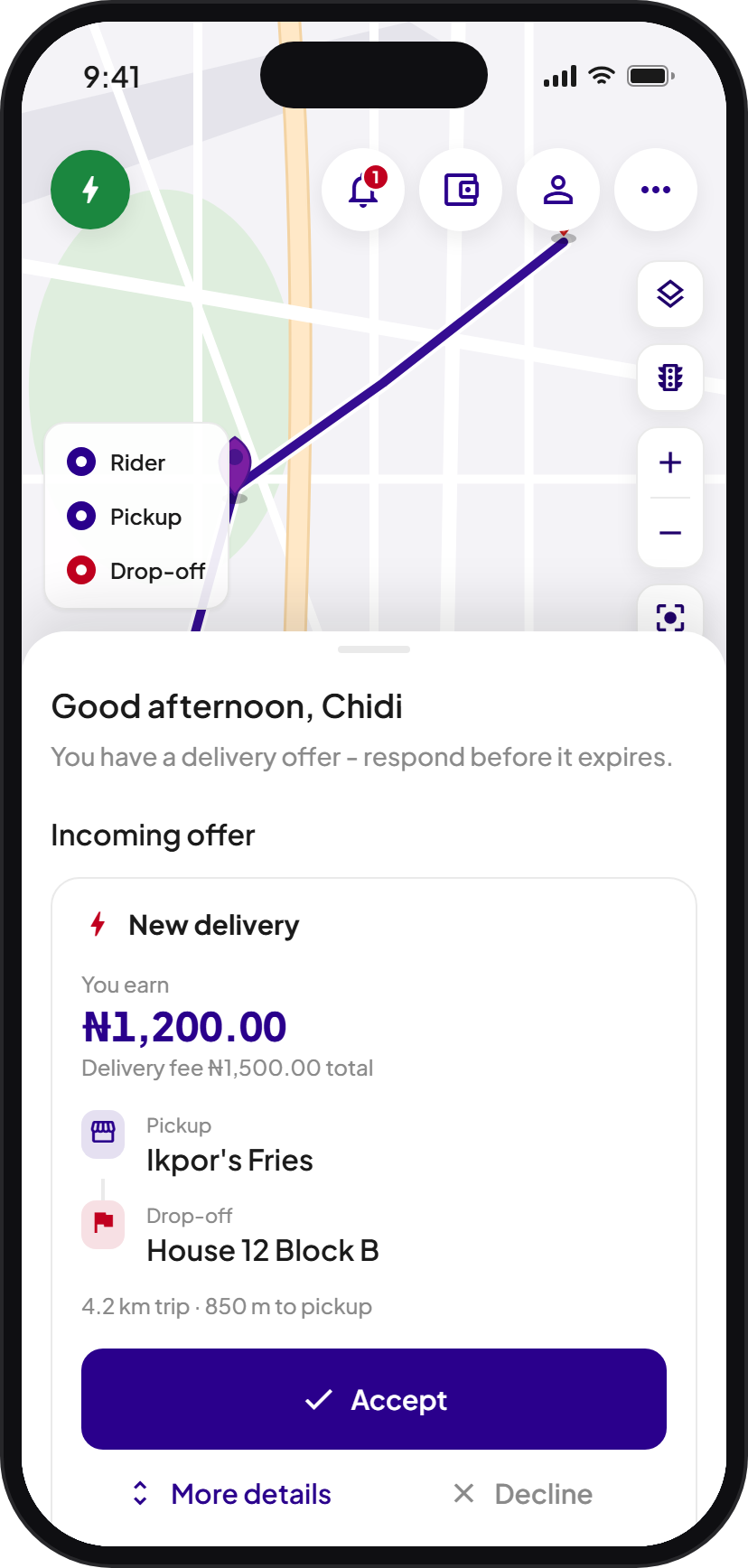
Cartlex Rider on a phone: a new delivery offer on the map, with Accept and Decline

Offers, one at a time

  1. 01

    A delivery offer reaches your phone. One at a time, never a pile.

  2. 02

    Accept it, or let it pass. Skipping costs nothing.

  3. 03

    Navigate to the pickup, then to the door.

On the job

Turn by turn, pickup to door.

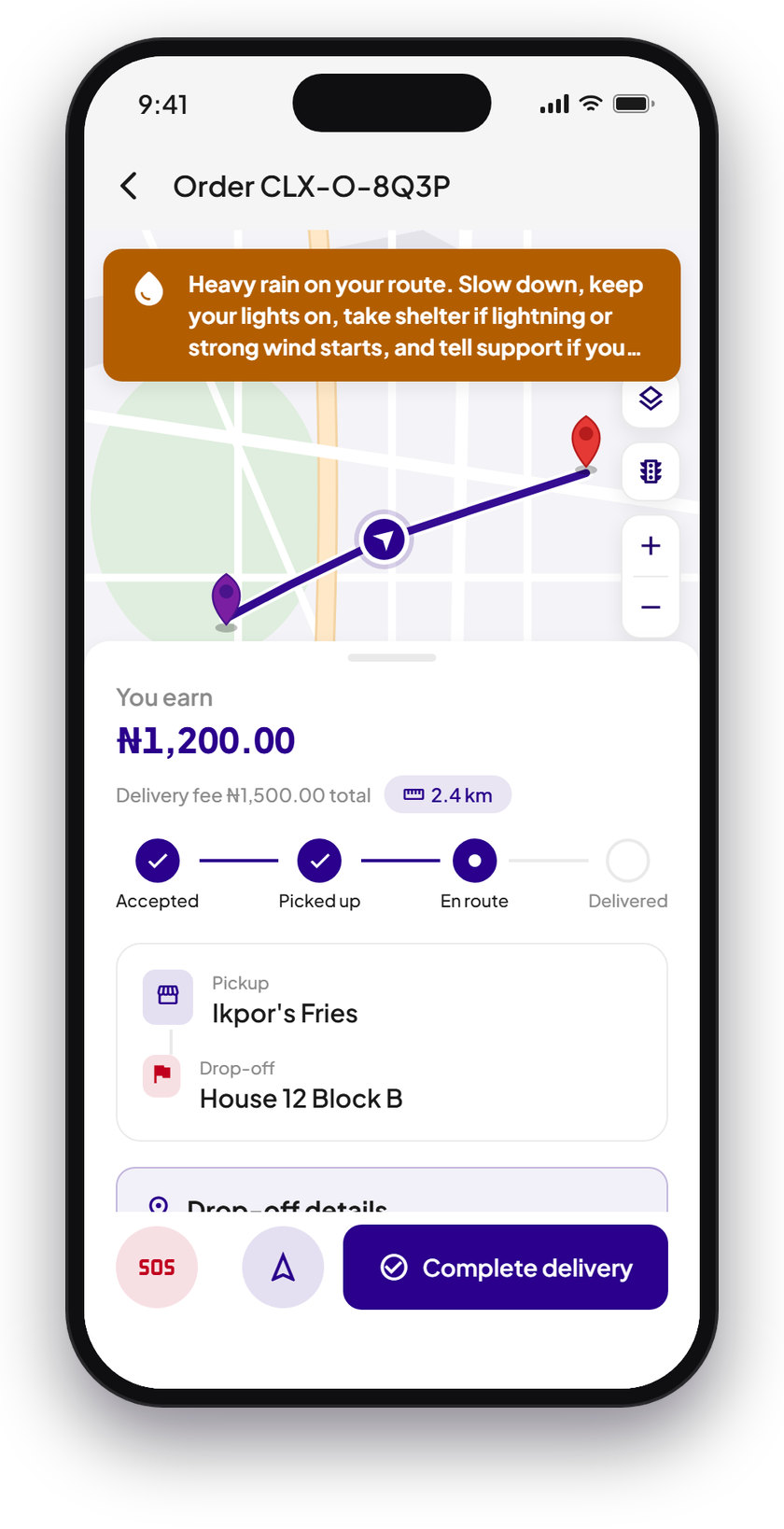
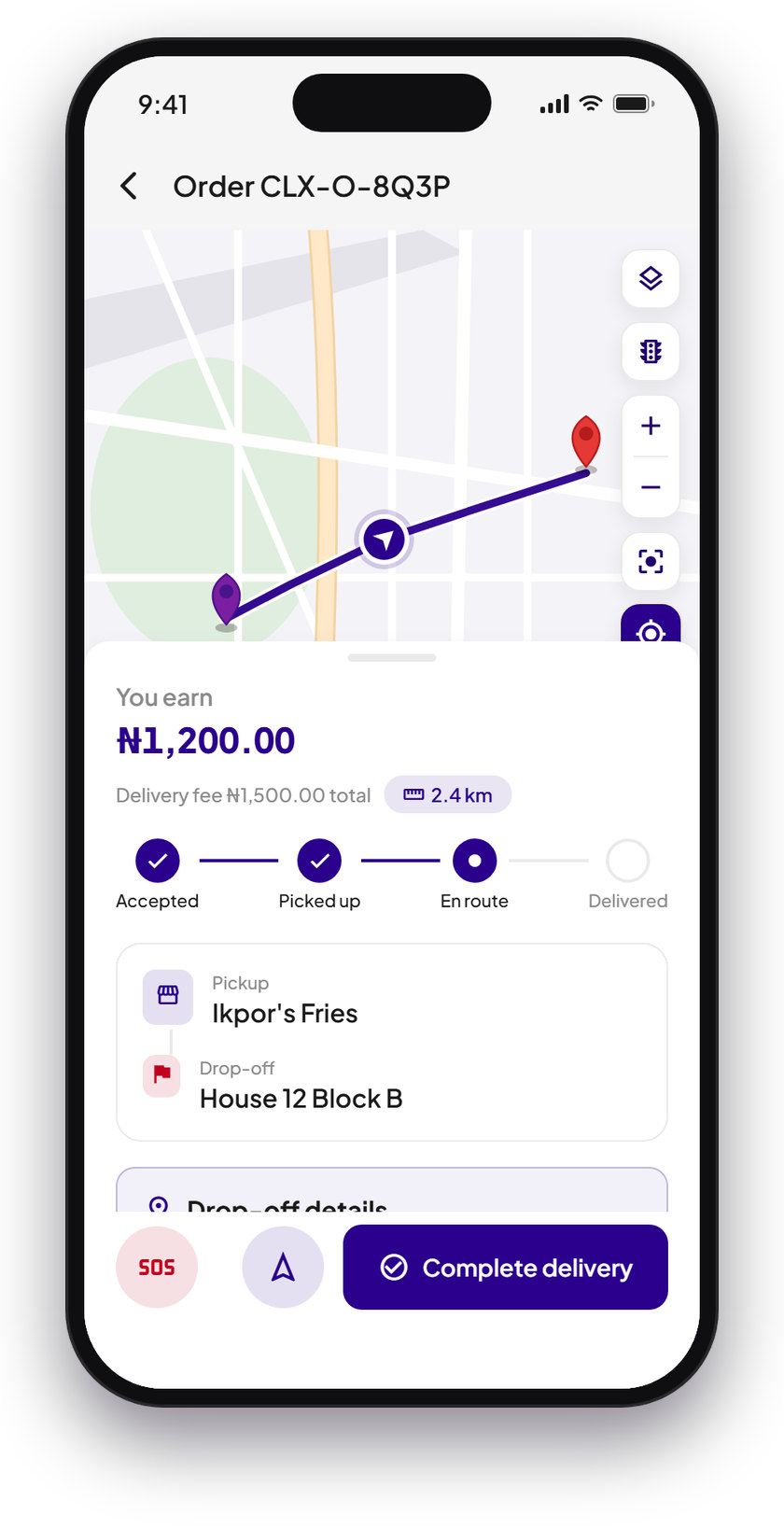
Navigation takes you to the pickup point and then to the delivery point. Chat or call the customer from the job screen whenever you need them.

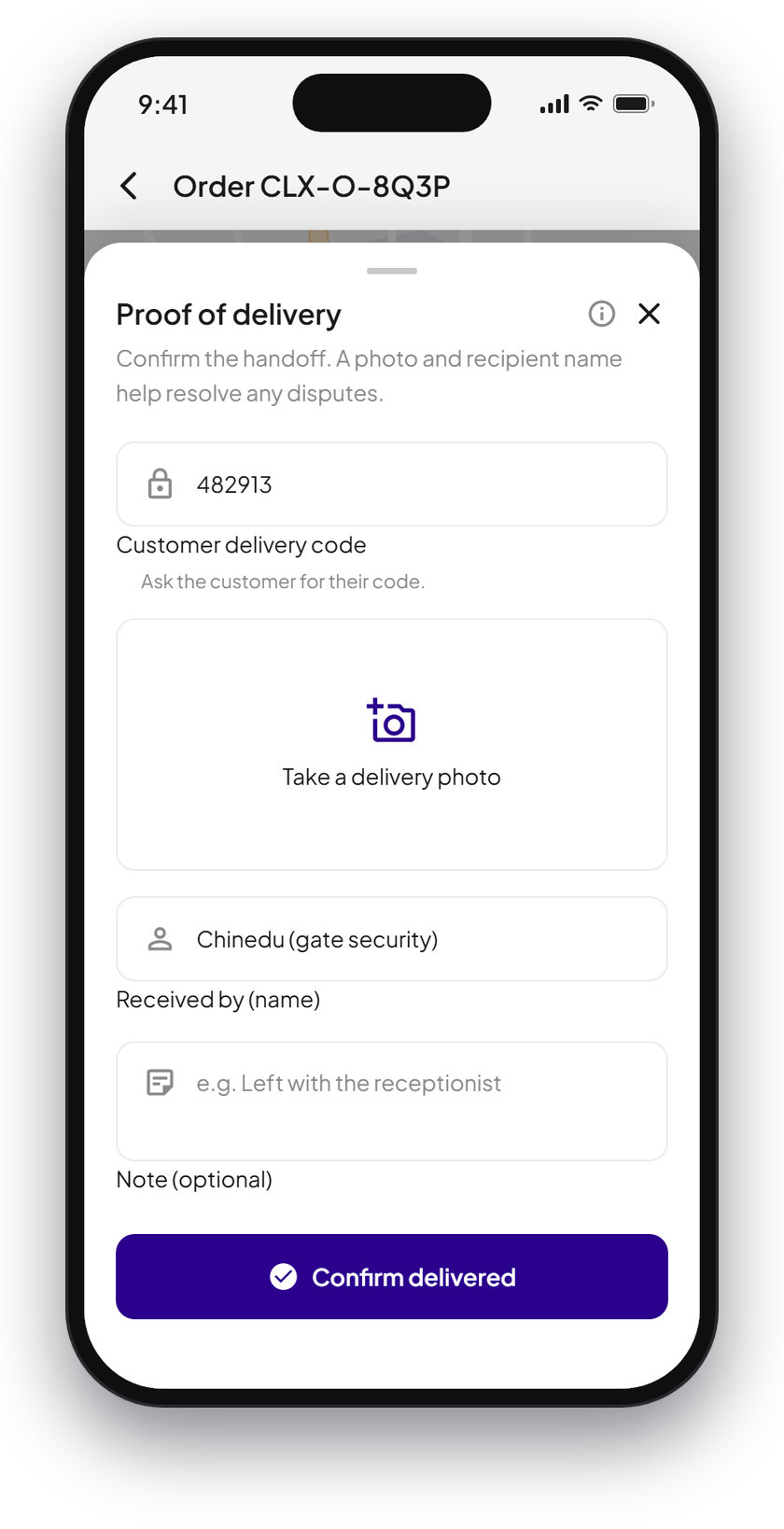
An SOS button sits on the delivery screen for the whole trip. At the door, the customer's delivery code confirms the handoff.

The job screen with the route on the map, the pickup and drop-off, the SOS button and Complete delivery Proof of delivery: the customer's delivery code, a photo and the recipient's name

Weather

Rain warnings, before you ride into it.

When heavy rain or a storm is on its way, a warning comes to your phone and shows on the job. Slow down, keep your lights on, and take shelter if lightning or strong wind starts.

A heavy rain warning on the job screen, above the route on the map

Wallet and earnings

Every delivery, in your wallet.

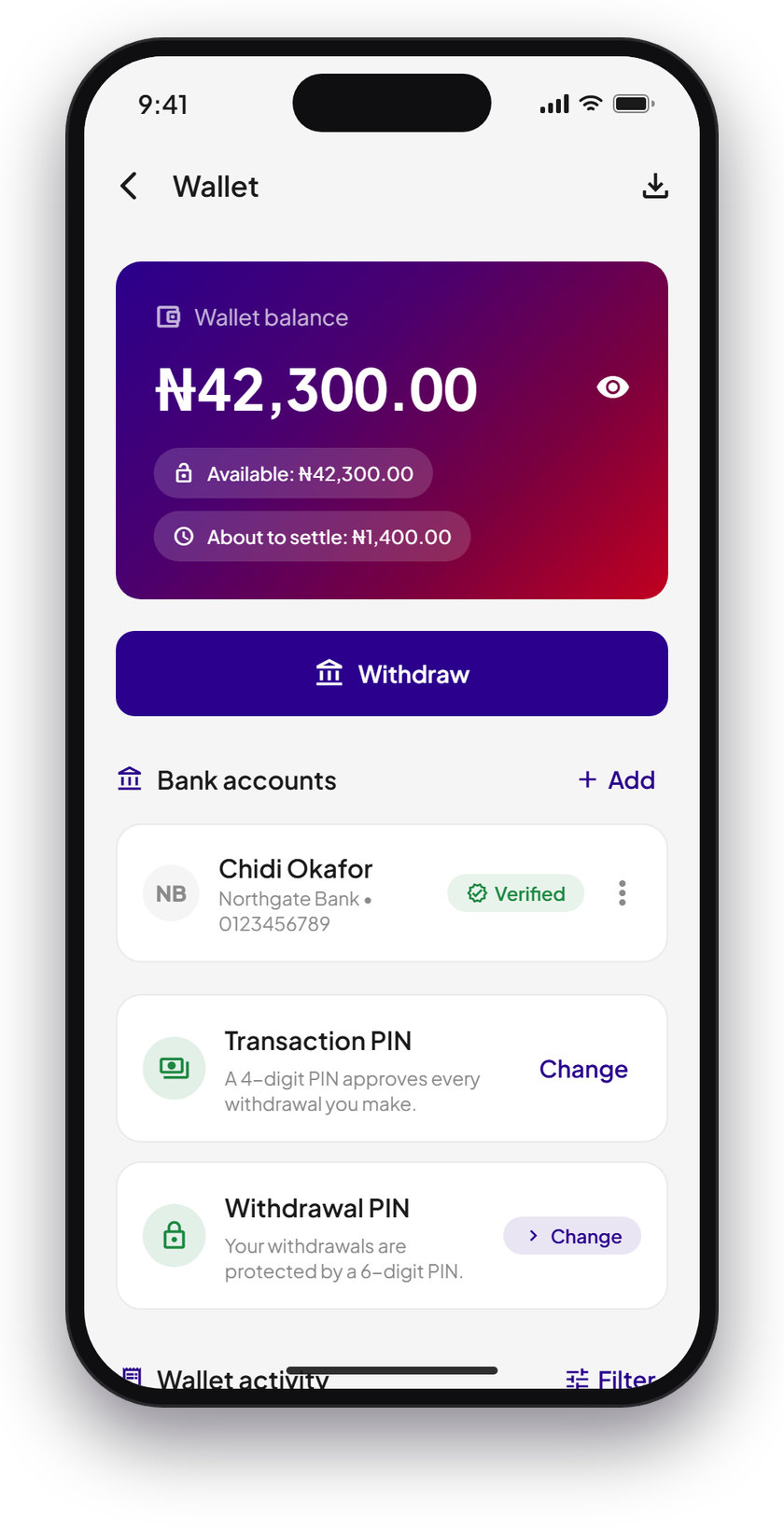
What you earn on each delivery goes to your wallet in the app, with the delivery it came from.

Withdraw to your verified bank account, protected by your transaction PIN.

The rider wallet with Withdraw, a verified bank account and the transaction PIN

Getting started

Start in four steps.

  1. 1

    Download Cartlex Rider

    From Google Play or the App Store.

  2. 2

    Register with your vehicle

    Motorcycle, car or van. Add your details in the app.

  3. 3

    Verify with your NIN or BVN

    Verification is done in the app, once.

  4. 4

    Wait for approval

    Cartlex approves each rider after registration. Once approved, go online and take your first offer.

Run a logistics company?

Register your company and run your riders through the partner portal at app.gocartlex.com/partner. A CAC RC number is required.

Ride with Cartlex.

Cartlex Rider for Android and iOS.

Open Cartlex Rider
Get it on Google Play Download on the App Store
QR code for download.gocartlex.com/cartlex-rider

Scan with your phone.It opens Cartlex Rider if you have it, or takes you to the right store.

Questions? help@gocartlex.com